Help Center / Hotel Management
Front Desk Dashboard
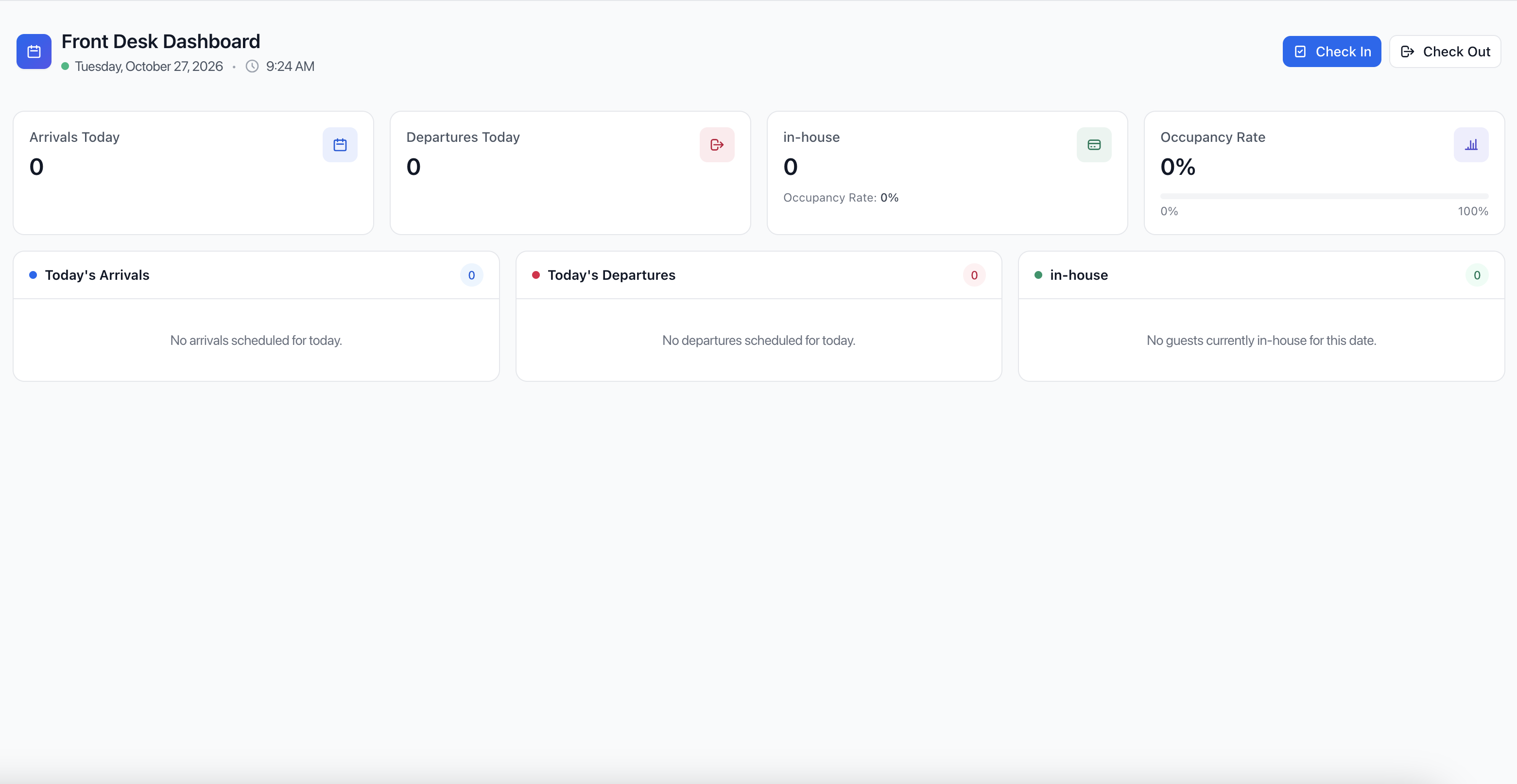
The Front Desk Dashboard in OnePe Hotel PMS serves as your central command center for daily hotel operations. It provides a real-time snapshot of guest movements, room occupancy, and quick access to essential front desk actions.
Key Dashboard Widgets Explained
- Top Navigation & Quick Actions
- Check In Button: Instantly opens the guest check-in workflow for arriving guests.
- Check Out Button: Quickly processes guest departures and room check-outs.
- Live Date & Time Tracker: Displays the current system date and time to keep front desk operations synchronized.
- Metric Summary Cards
- Arrivals Today: Shows the total number of guests or bookings scheduled to check in on the current date.
- Departures Today: Displays the total number of guests scheduled to check out today.
- In-House: Represents the current count of active guests residing in the property along with their individual occupancy share.
- Occupancy Rate: Visualizes the percentage of total hotel rooms currently occupied relative to total inventory, tracked via a progress bar ($0\%$ to $100\%$).
- Detailed Lists & Tables
- Today's Arrivals List: Detailed breakdown showing scheduled check-ins for the day, allowing staff to verify booking statuses instantly.
- Today's Departures List: Tracks pending and completed check-outs for smooth room turnover management.
- In-House Guest List: Provides a live registry view of all guests currently staying at the property.
How to Use the Front Desk Dashboard
- Step 1: Log in to your OnePe Hotel PMS account and navigate to the Front Desk Dashboard from the main menu.
- Step 2: Review the Arrivals Today and Departures Today summary cards to anticipate front desk workloads.
- Step 3: Use the Check In or Check Out buttons on the top right to immediately process guest movements as they arrive or leave.
- Step 4: Monitor the Occupancy Rate card to gauge daily property performance and room availability at a glance.