OnePe QR Code Ordering for Restaurants: Privacy-First Ordering, AI Assistance and Powerful Features Without Extra Add-On Charges
Restaurant technology should make dining easier for customers and restaurant management simpler for owners. But choosing the right QR code ordering system involves more than putting a QR code on every table. Restaurants need a solution that respects customer privacy, streamlines ordering, improves service, helps customers discover dishes and provides useful features without continuously increasing software costs.
OnePe QR Code Ordering is designed to bring these capabilities together in one restaurant management platform. Customers can scan a QR code, browse the menu and place orders conveniently. Restaurants can also configure whether customer contact details are required, control the permitted ordering distance from their location, provide live AI chat assistance and allow guests to call a waiter directly from their phones.
Another important advantage is the pricing approach: the supported QR ordering features described in this article are included without separate paid add-on charges. Restaurant owners can access more functionality without having to purchase each capability as a separate upgrade.
Whether you manage a café, QSR, family restaurant, food court, hotel restaurant or fine-dining establishment, here is how OnePe QR ordering can help improve the customer experience and restaurant operations.
1. Customer Privacy Comes First: No Mandatory Contact Details When Disabled
One of the most important considerations in digital ordering is customer privacy.
Many customers are comfortable scanning a QR code to view a menu and place an order, but they may not want to provide their personal mobile number, email address or other contact details just to order food.
A restaurant ordering system should allow businesses to consider this preference.
The restaurant decides whether contact details are required
With OnePe, restaurants can disable the requirement to collect customer contact details for QR ordering, according to their configured settings.
When the requirement is disabled, customers can enjoy a more convenient ordering experience without being forced to submit their name or phone number simply to browse the menu or place an order.
This offers several advantages:
- Less friction: Customers can proceed with their order without unnecessary form fields.
- Greater privacy: Customers are not required to disclose contact details when the restaurant has disabled that requirement.
- Faster ordering: Guests can focus on selecting dishes instead of completing lengthy forms.
- A more comfortable experience: Privacy-conscious customers can order without being asked for personal contact information unnecessarily.
- Greater control for restaurant owners: Each restaurant can decide whether collecting customer details is necessary for its chosen workflow.
Privacy and customer relationships can coexist
Some restaurants may want customer contact information for specific purposes, such as delivery coordination, order updates, reservations or loyalty programmes. Others may prefer a more anonymous dine-in ordering experience.
The right approach depends on the restaurant's needs.
OnePe gives restaurant owners the flexibility to configure their ordering experience rather than assuming that every customer must provide personal details.
Importantly, disabling mandatory contact details does not mean that no information is processed at all. The restaurant still needs relevant order information, such as the selected items, quantities and table or fulfilment details, to prepare and deliver the order. Any information processing should follow the platform's applicable privacy practices and the restaurant's configuration.
The principle is simple: collect customer information when it is genuinely needed, not merely because technology makes collection possible.
2. Smart QR Ordering Without Requiring Customers to Download an App
Customers do not want to install a separate application every time they visit a restaurant.
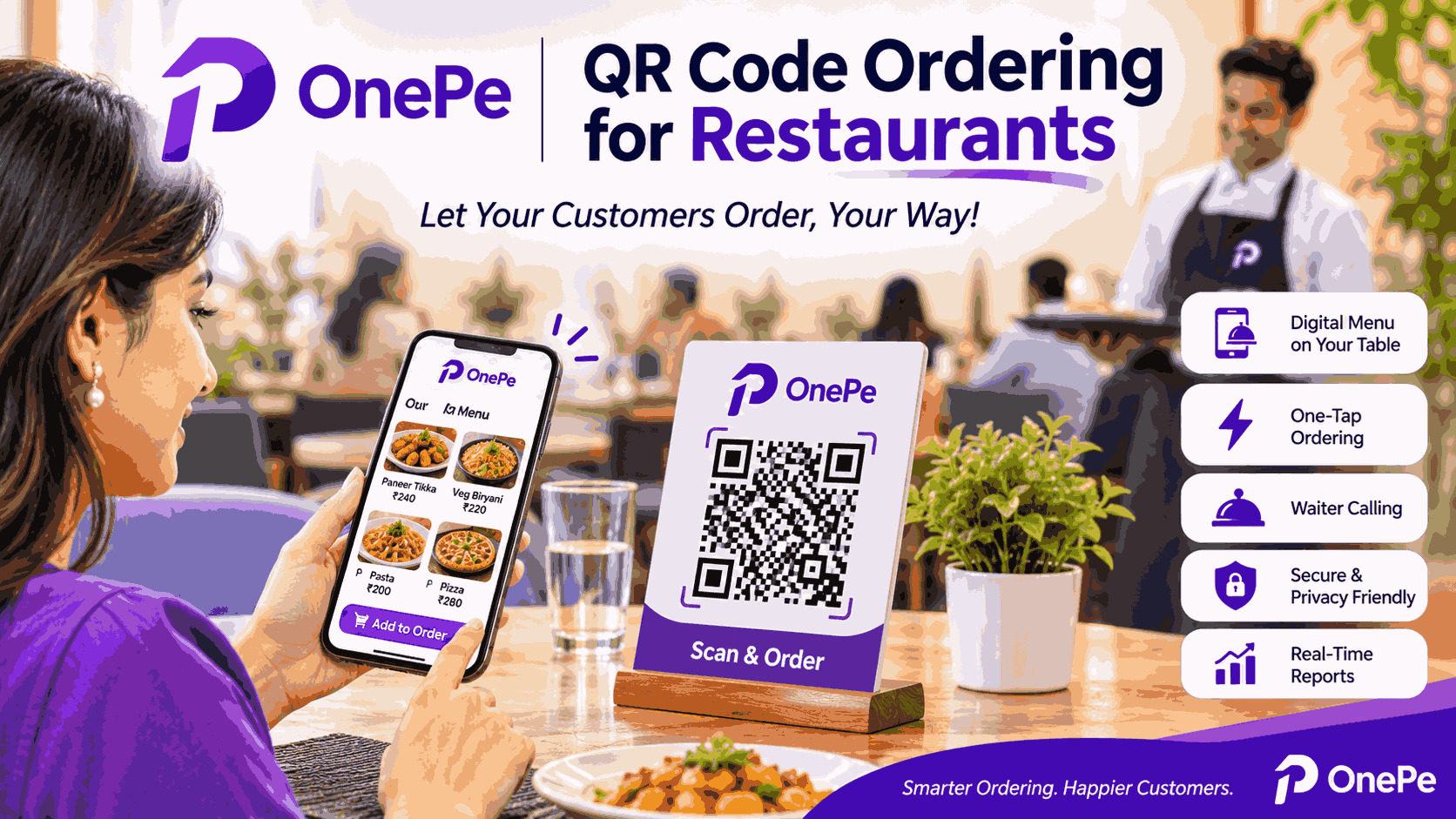
OnePe QR ordering lets guests access the restaurant's digital menu by scanning its QR code with their phone. They can then browse the available items and place an order through the supported ordering interface.
This makes the ordering experience convenient for customers who prefer using their phone's browser.
How the process works
- The restaurant places a OnePe QR code on its tables, counters or other designated locations.
- The customer scans the QR code using a compatible smartphone.
- The digital menu opens.
- The customer browses categories, views dishes and selects items.
- The customer places the order using the available ordering options.
- The order reaches the restaurant's configured order-management workflow.
This can reduce dependence on printed menus and make menu updates easier for restaurant management.
When prices, availability or descriptions change, the restaurant can manage its digital menu rather than having to reprint physical menus every time.
Suitable for different restaurant formats
QR ordering can be useful for:
- Cafés and coffee shops
- Quick-service restaurants
- Casual and family dining
- Fine-dining establishments
- Food courts
- Hotel restaurants
- Bars and lounges
- Takeaway-focused outlets
The precise workflow can vary depending on the restaurant's service model and configuration.
3. Location-Based Ordering: Control Where Customers Can Place Orders
Online ordering creates an important operational question: how far away should a customer be allowed to place an order?
A restaurant may want customers to order from inside its premises or within a defined nearby area. Without appropriate location restrictions, a restaurant could receive orders from customers who are too far away for the intended service.
OnePe supports configurable distance-based ordering, allowing the restaurant to define a permitted radius around its location.
How distance-based ordering helps
Imagine a restaurant that wants to allow online ordering only when a customer is within 100 metres of its premises.
The restaurant can configure the permitted distance according to its operating requirements, where the location-based feature is enabled.
This can help the restaurant:
- Restrict ordering to the intended nearby service area.
- Support location-aware dine-in or local ordering workflows.
- Reduce orders placed from outside the restaurant's permitted radius.
- Provide greater control over where the QR ordering experience can be used.
- Align ordering availability with the restaurant's operating model.
The permitted distance should be configured by the restaurant owner or authorised manager, rather than being left to individual customers to choose freely.
Why this matters for restaurant operations
Consider a busy restaurant that wants its table-ordering QR codes to be used by guests physically present at the venue. A location restriction can add another check to help enforce that policy.
Location-based restrictions depend on the device's location permissions, browser capabilities and configured verification method. Customers may need to enable location access for the feature to work. Location verification should also be explained transparently, and the restaurant should avoid collecting or retaining precise location data beyond what its workflow requires.
This gives restaurants more control while helping customers understand why a location permission may be requested.
4. Live AI Chat: Help Customers Choose What to Eat
A digital menu makes ordering convenient, but customers sometimes need help deciding what to order.
They may wonder which dishes are popular, what a dish contains, whether an item is spicy, which options are vegetarian or what would go well with their selected meal.
Traditionally, customers ask a waiter these questions. During busy periods, however, staff may not always be immediately available.
OnePe's live AI chat feature can provide an additional way for customers to explore the menu and get assistance.
Ask questions in natural language
Depending on the restaurant's configured AI capabilities and menu information, customers can ask questions such as:
- Which dishes are the most popular here?
- What are your best-selling items?
- What would you recommend for a first-time visitor?
- Which vegetarian dishes do you offer?
- Which dishes are spicy?
- What ingredients are used in this dish?
- What can I order with my current selection?
- Do you have any popular snacks or desserts?
- Which dishes are suitable for a light meal?
Instead of manually examining every menu category, customers can ask a question and receive relevant guidance.
Help customers discover more of the menu
Customers frequently order familiar dishes because they are unsure what else to try.
AI-assisted recommendations can help bring attention to other menu items that match their interests. For example, a customer ordering a main course might ask for a suitable beverage, side dish or dessert.
This creates opportunities for restaurants to improve menu discovery and potentially increase average order value without relying entirely on aggressive promotions.
The restaurant benefits when recommendations are grounded in its actual menu, accurate prices and available items.
A better experience for first-time visitors
A new customer may not understand the restaurant's specialities or the differences between similar dishes.
An AI assistant can explain menu descriptions, suggest options and answer common questions, reducing the effort required to choose a meal.
It can also help make the menu more approachable for customers who prefer asking questions rather than reading lengthy descriptions.
AI assistance should support—not replace—restaurant staff
AI chat is best treated as an additional service channel. It can answer routine questions and assist with menu discovery, while restaurant staff remain available for situations requiring human judgement.
Restaurant owners should keep menu details accurate, particularly ingredient information and allergen-related information. AI-generated responses should not be treated as a guarantee that a dish is safe for a customer with a severe allergy. Such customers should confirm critical dietary requirements directly with the restaurant.
5. Waiter Calling Directly From the Customer's Phone
Customers sometimes need assistance after placing their orders. They may want water, an extra plate, help with their order or the bill.
In a busy restaurant, guests might have to wait for a staff member to notice them.
OnePe includes a waiter-calling feature that lets customers request assistance through the supported QR ordering interface.
How waiter calling improves service
A customer can use the available waiter-call option instead of repeatedly trying to attract a staff member's attention.
This can help customers request:
- General assistance
- Water or additional service items
- Help with their order
- Other restaurant services supported by the system
The request can be routed through the restaurant's configured staff workflow, helping the team identify which table needs attention.
Benefits for customers
- They do not need to repeatedly wave at staff.
- They can request assistance conveniently from their table.
- They have another way to communicate with the restaurant.
- They can enjoy a more comfortable dining experience.
Benefits for restaurant owners
- Staff can receive clearer service requests.
- Managers can improve visibility into guest-service needs.
- Waiters can organise their work more effectively.
- The restaurant can reduce missed requests and improve responsiveness.
The feature supports the service team; it does not eliminate the need for attentive staff or a well-organised floor operation.
6. More Than Ordering: A Better Digital Dining Experience
A QR code should do more than display a list of dishes.
The real value comes from connecting menu browsing, ordering and customer service into a convenient experience.
With OnePe, the QR ordering experience can support a range of capabilities depending on the restaurant's setup.
Digital menu management
Present menu categories, dishes, descriptions, prices and other available item information in a format customers can browse from their phones.
Direct order placement
Allow customers to select items and submit orders through the restaurant's configured ordering workflow.
Table-linked ordering
For supported dine-in workflows, QR codes can help associate orders with the relevant table, reducing confusion between guests and staff.
AI-powered menu assistance
Let customers ask questions and receive menu recommendations through live AI chat.
Waiter calling
Give guests a convenient way to request service when they need assistance.
Order management integration
Connect QR orders with the restaurant's configured order-processing and kitchen workflows, helping staff manage incoming orders more efficiently.
Restaurant management integration
Because OnePe is a restaurant management platform, QR ordering can form part of a broader workflow involving billing, kitchen operations, customer management and reporting, subject to the modules and configuration used by the restaurant.
The objective is to reduce fragmentation between customer-facing ordering and the work restaurant staff must perform behind the scenes.
7. All These Supported Features Without Separate Add-On Charges
One of the common frustrations with business software is that a basic plan may appear affordable, but important capabilities require additional purchases.
A restaurant might need QR ordering first, then discover that AI assistance, waiter calling, advanced ordering controls or other features are sold separately.
This makes it difficult to calculate the true cost of operating the system.
OnePe's approach is to provide the supported QR ordering capabilities described here without charging a separate add-on fee for each feature.
That means restaurant owners can plan their technology costs with greater clarity.
What this means for your restaurant
More capabilities without a separate price for every feature.
Rather than treating every useful function as an additional purchase, OnePe brings supported capabilities together within its restaurant management offering.
These include the privacy-related configuration described above, location-based ordering controls, live AI menu assistance and waiter calling, along with the other supported QR ordering functions available under the restaurant's plan.
This can help restaurant owners:
- Avoid unnecessary feature-by-feature purchasing decisions.
- Budget more clearly for restaurant technology.
- Introduce digital ordering without assembling multiple disconnected tools.
- Provide customers with a richer ordering experience.
- Expand their use of restaurant technology as their operations develop.
The distinction is important: included features do not necessarily mean unlimited usage or that every external service is free. Restaurants should confirm any applicable plan limits, AI usage allowances, payment-provider charges or third-party service costs before subscribing.
The benefit is avoiding separate add-on charges for the included capabilities, rather than assuming that all possible third-party costs disappear.
8. How OnePe QR Ordering Can Help Increase Restaurant Efficiency
Restaurant profitability depends on more than increasing sales. It also depends on controlling operating costs, avoiding mistakes and making good use of staff time.
QR ordering can support these goals when it is integrated properly into restaurant operations.
Reduce dependence on manual order taking
Customers can submit supported orders digitally, reducing the need for staff to manually record every item.
Staff can then focus on hospitality, food delivery, table management and other service responsibilities.
Improve order clarity
Digital item selection can help reduce mistakes caused by unclear handwriting or verbal communication. Clear menu descriptions and order summaries can help customers review their selections before submitting an order.
Help customers find dishes
AI menu assistance can answer routine questions and guide customers toward relevant dishes, helping them make informed choices.
Support more organised service requests
Waiter calling can make it easier for guests to request assistance and help staff identify where service is needed.
Make menu updates easier
Digital menus can be updated when items, prices, descriptions or availability change, reducing the operational effort associated with printed menus.
Connect customer activity with restaurant management
When QR ordering is connected to the restaurant's wider management workflow, owners can work toward better visibility into orders and business performance.
These benefits depend on accurate configuration, staff training and consistent operating procedures. Technology works best when it supports a well-managed restaurant rather than attempting to compensate for operational problems on its own.
9. Privacy, Convenience and Business Intelligence Can Work Together
Some restaurant owners believe that collecting more customer information is always better for business. In practice, unnecessary data collection can create friction for customers and increase the responsibility involved in managing personal information.
A better approach is to collect information according to a clear purpose.
For example, a restaurant may need a customer's phone number to coordinate a delivery or send an order update that the customer has requested. That is different from requiring every dine-in customer to disclose a number merely to view a menu.
OnePe's configurable ordering approach allows restaurants to choose whether contact details are required for their intended workflow.
Restaurants can also use appropriate operational information, such as dish sales and order patterns, to understand business performance without automatically requiring every guest to create a personal profile.
The key principles are:
- Collect only the information needed for the chosen workflow.
- Explain why information is requested.
- Avoid making unnecessary personal information a condition of ordering.
- Apply appropriate access controls and retention practices.
- Handle customer information responsibly when contact details are collected.
Privacy-friendly ordering does not mean abandoning customer service or business analysis. It means designing the experience thoughtfully and treating customer information with care.
10. Why Restaurant Owners Should Compare the Complete Platform, Not Just the QR Menu
When comparing QR code ordering platforms, it is easy to focus on the appearance of the digital menu or the price of the basic package.
But restaurant owners should consider the complete operational experience.
Before choosing a platform, ask:
- Can customers order without providing contact details when the restaurant disables that requirement?
- Can ordering be restricted to a configured distance from the restaurant?
- Is AI-powered menu assistance available?
- Can customers call a waiter from the QR interface?
- Can QR orders connect to the restaurant's order-management workflow?
- Can staff manage orders and service requests efficiently?
- Are the features included in the plan or charged separately?
- Are there usage limits or third-party charges?
- Can the platform support the restaurant as its operations grow?
The cheapest entry-level plan is not necessarily the most economical option if essential capabilities require multiple additional subscriptions.
Likewise, a long list of features is not enough on its own. The system must be easy for customers to use and practical for staff to manage.
OnePe's value lies in bringing privacy-conscious QR ordering, AI assistance, waiter calling and wider restaurant-management capabilities together without separate add-on charges for the included features.
That combination gives restaurant owners a strong reason to evaluate the complete platform rather than selecting a QR menu based on price alone.
11. Which Restaurants Can Benefit From OnePe QR Ordering?
OnePe QR ordering can be useful for different restaurant formats, with the ideal configuration depending on how each business operates.
Cafés: Customers can browse beverages, snacks and desserts, ask for recommendations and request assistance from their tables.
Quick-service restaurants: QR ordering can offer another convenient way to browse the menu and place orders.
Family restaurants: Guests can explore a wider menu and use AI assistance to understand dishes and discover options.
Fine-dining restaurants: Digital menus can provide detailed descriptions while waiter calling offers a convenient additional service channel.
Food courts: QR ordering can support digital menu access and ordering workflows, depending on the outlet's configuration.
Hotel restaurants: QR ordering can complement the dining experience and form part of a broader restaurant or hospitality management setup where supported.
Multi-branch businesses: A connected management platform can help owners standardise selected workflows and monitor performance across outlets, depending on the features and plan used.
Before implementation, restaurants should test the customer journey, location settings, order routing and staff notification process to ensure that the system fits their service model.
12. The Future of Restaurant QR Ordering Is About More Than Convenience
QR ordering has the potential to become an important part of the restaurant experience, but its long-term value will depend on how well it serves both customers and businesses.
Customers want convenience without unnecessary demands for personal information. They want to understand the menu, make good choices and get assistance when needed.
Restaurant owners want efficient operations, reliable order handling, better customer experiences and predictable technology costs.
A thoughtfully designed QR ordering system can help bring these needs together.
Privacy-conscious settings allow restaurants to avoid requiring contact details when they are unnecessary. Location-based controls help businesses define where ordering is permitted. AI chat can guide customers through the menu, while waiter calling provides a direct way to request human assistance.
When these capabilities are available as part of a wider restaurant platform without separate add-on charges, owners can evaluate them as part of a more complete operating solution.
Conclusion: Choose a Smarter, More Customer-Friendly QR Ordering System
A modern restaurant QR ordering system should do more than replace a printed menu. It should make ordering easier, respect customer privacy, improve communication and support the restaurant's daily operations.
OnePe QR Code Ordering brings these priorities together through configurable customer-data requirements, location-based ordering controls, live AI menu assistance, waiter calling and integration with wider restaurant management workflows.
Its approach also helps restaurant owners avoid separate add-on charges for the supported features included in the offering, making it easier to plan their technology investment.
Most importantly, the customer experience remains central. Guests should be able to explore the menu conveniently, get help when they need it and provide personal information only when it is required for the chosen service.
Looking for a smarter QR code ordering system for your restaurant?
Explore OnePe Restaurant to learn how QR ordering, POS and billing, kitchen management, customer tools and other restaurant capabilities can work together in one platform.
Build a more convenient ordering experience for your guests while giving your team the tools to manage your restaurant more effectively.